

通过源码包方式下载安装Nginx
nginx下载官网:nginx: download
1、下载最新稳定版本
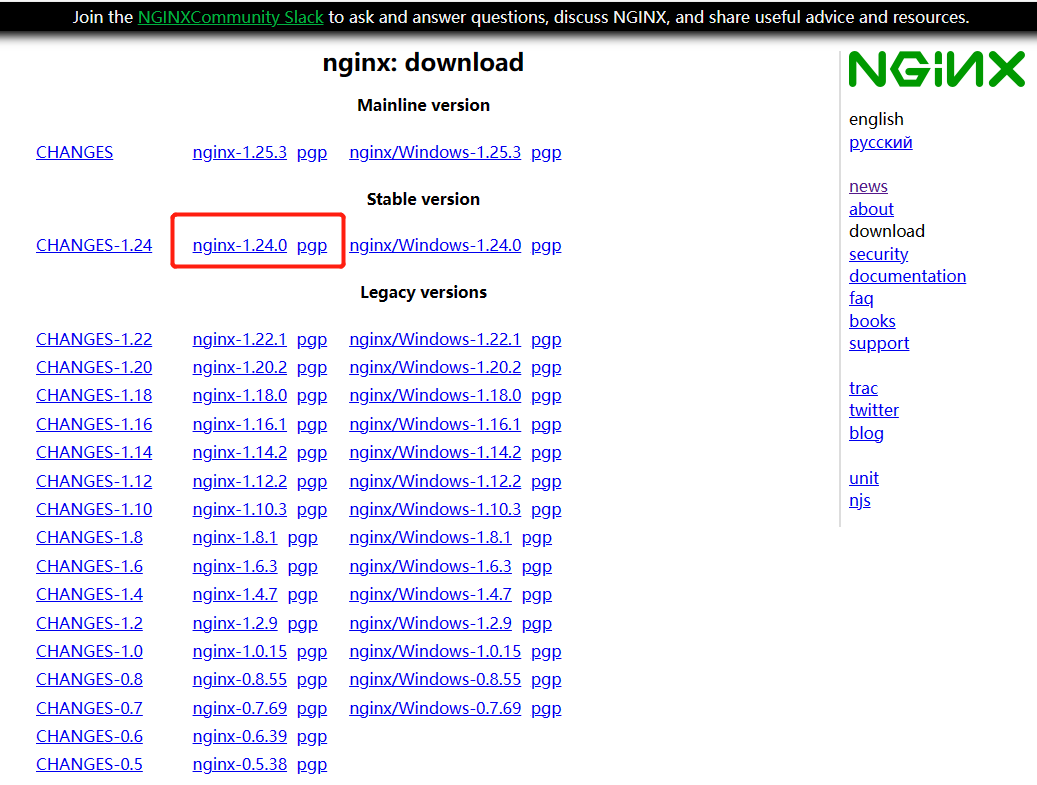 2、将源码包上传至服务器,如/usr/local/src目录
3、 解压
#解压源码包
tar -zxvf nginx-1.24.0.tar.gz
4、安装依赖库
4.1、安装gcc环境
编译时依赖gcc环境
yum -y install gcc gcc-c++ autoconf automake make4.2、安装 pcre
提供nginx支持重写功能
yum -y install pcre pcre-devel4.3、安装zlib
zlib 库提供了很多压缩和解压缩的方式,nginx 使用 zlib 对 http 包内容进行 gzip 压缩
yum -y install zlib zlib-devel make libtool4.4、安装openssl
安全套接字层密码库,用于通信加密
yum -y install openssl openssl-devel4.5、不确定软件包是否已成功安装,可以运行以下命令:
如果输出包含软件包名称,则软件包已成功安装。如果输出为空,则未安装或已删除软件包。
rpm -qa | grep -E 'gcc|zlib|pcre|openssl'5、配置编译安装
#5.1编译配置目录
./configure --prefix=/usr/local/nginx --with-http_stub_status_module --with-http_ssl_module

参数说明:
#编译安装目录
–prefix=/usr/local/nginx

#该模块提供nginx的基本状态信息
–with-http_stub_status_module

# 支持HTTPS
–with-http_ssl_module

#5.2编译
make
#5.3安装
make install
6、设置nginx服务自启动
6.1进入 /etc/systemd/system目录,创建nginx.service文件,复制内容
cd /etc/systemd/system
vim nginx.service

#复制下面内容
[Unit]
Description=nginx - high performance web server
After=network.target remote-fs.target nss-lookup.target

[Service]
Type=forking
ExecStart=/usr/local/nginx/sbin/nginx -c /usr/local/nginx/conf/nginx.conf
ExecReload=/usr/local/nginx/sbin/nginx -s reload
ExecStop=/usr/local/nginx/sbin/nginx -s stop

[Install]
WantedBy=multi-user.target6.2、设置开机自启动并启动nginx
#设置开机自启动:
systemctl enable nginx.service

#查看是否正确启动:
systemctl list-unit-files |grep nginx

#启动nginx
systemctl start nginx.service

#显示nginx服务的状态信息,包括是否正在运行(active)、是否启用了自启动(enabled)等。如果nginx服务正在运行,你应该会看到类似于Active: active (running)的输出。如果你看到Active: inactive (dead),那么nginx服务当前没有运行。
systemctl status nginx